
TaskKind for Android
More than a reminder.
Get reminders at a place, or open the app or website your task needs.
Closed testing on Google Play. Join the tester group to get access.
Explore the app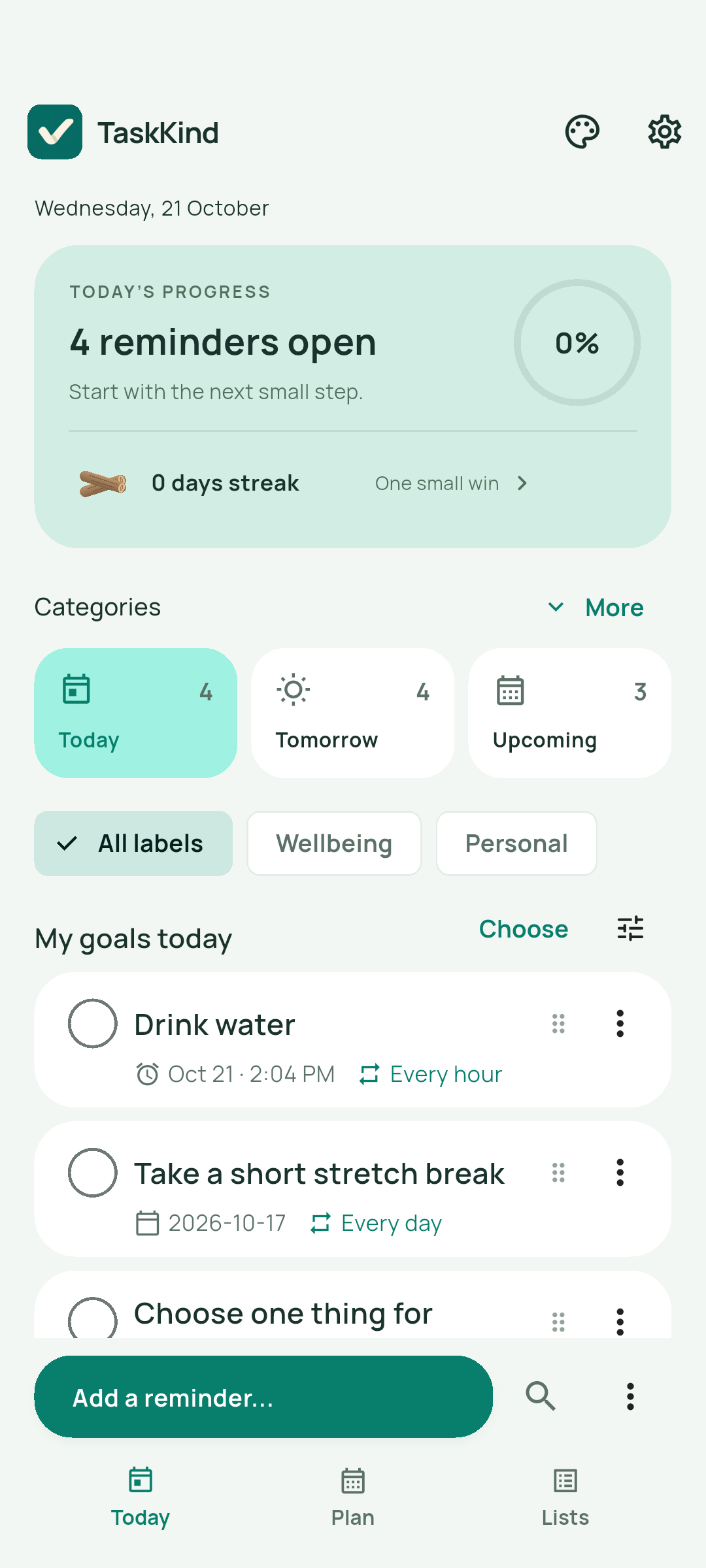
The place. The app. The next step.
Actual screens from TaskKind on Android, using sample tasks.
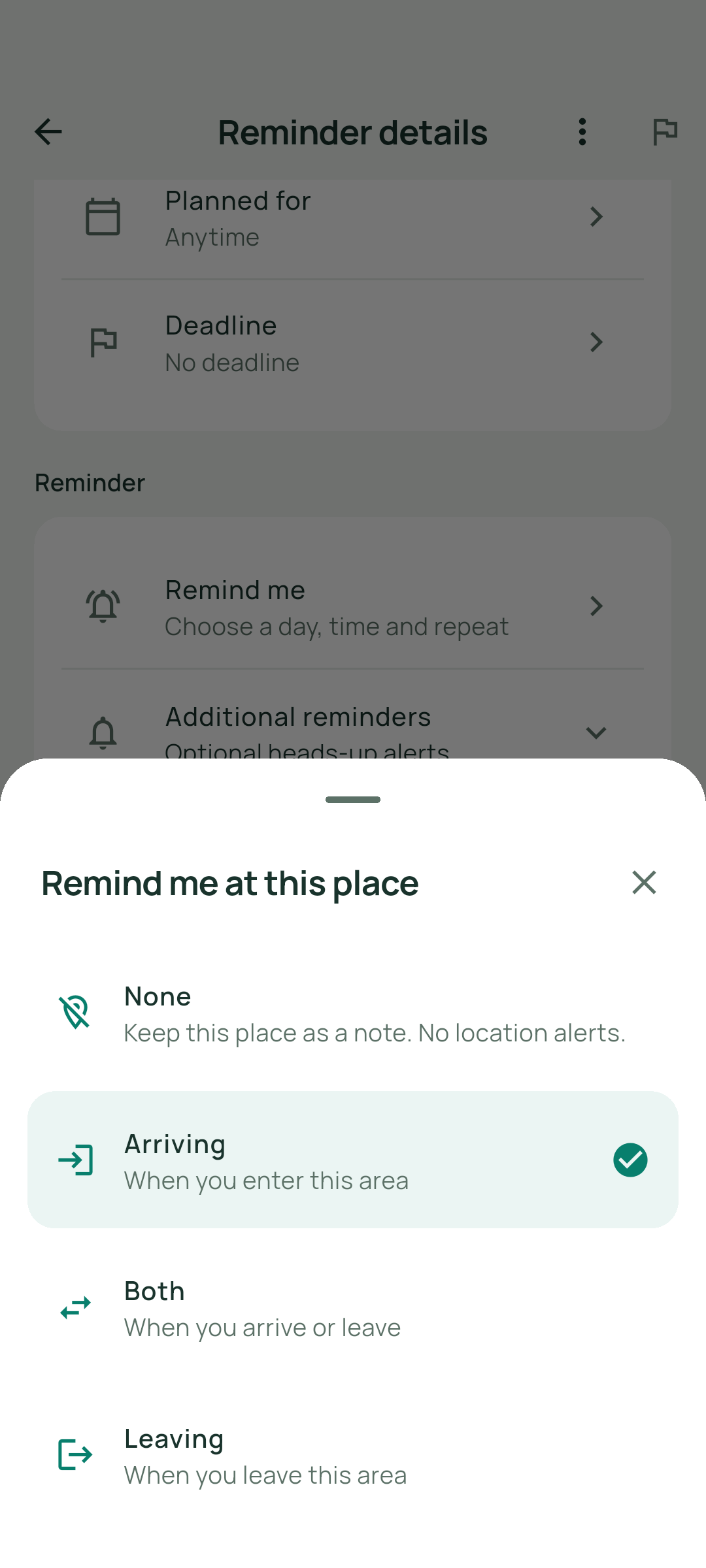
A reminder when you get there
Pick a place, then choose arriving, leaving, or both. Useful for a library pickup or an errand on your way out.
Location alerts need the Android location permissions explained in the app.
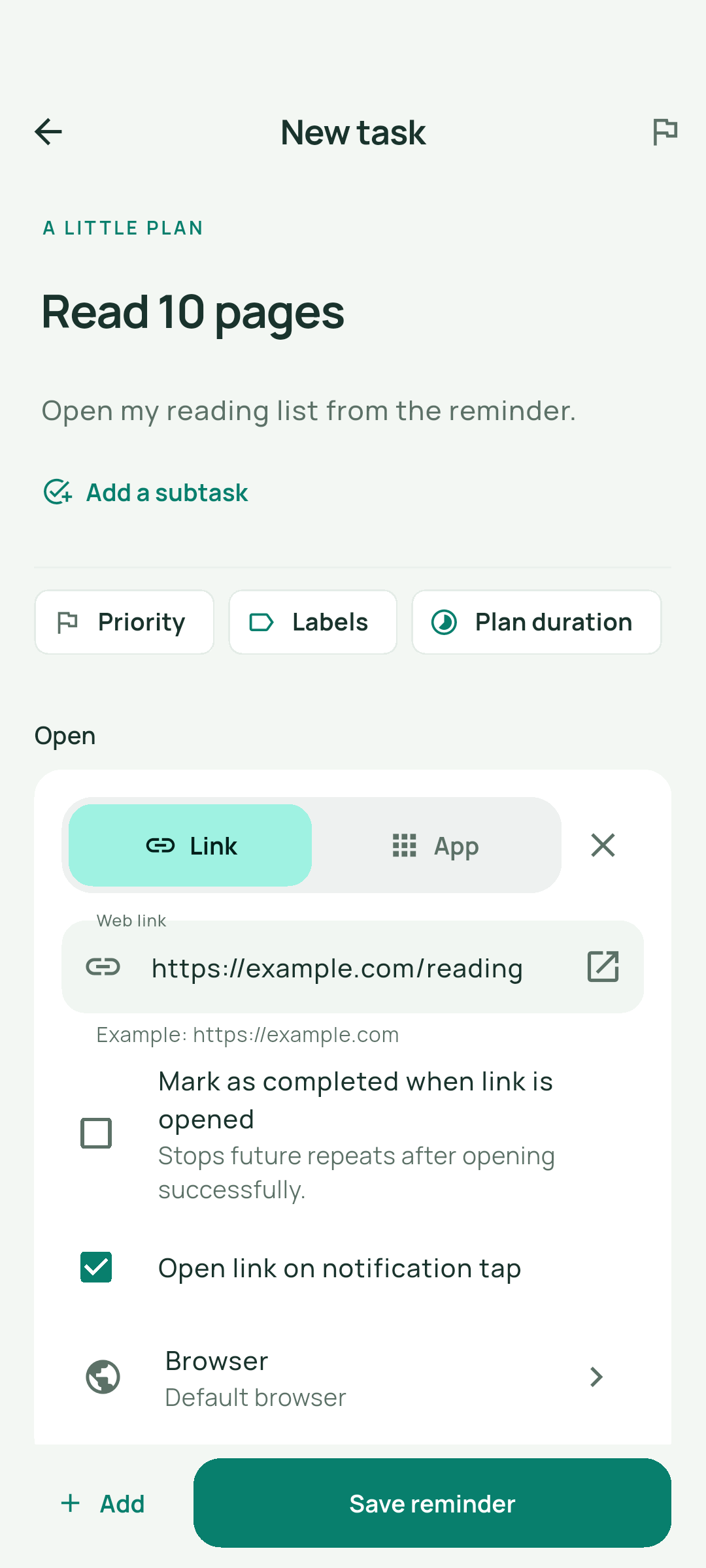
Open what the task needs
Attach an installed app or a website to your task. Open it from the reminder instead of searching for it again.
For example, keep a reading page attached to your daily reading reminder.
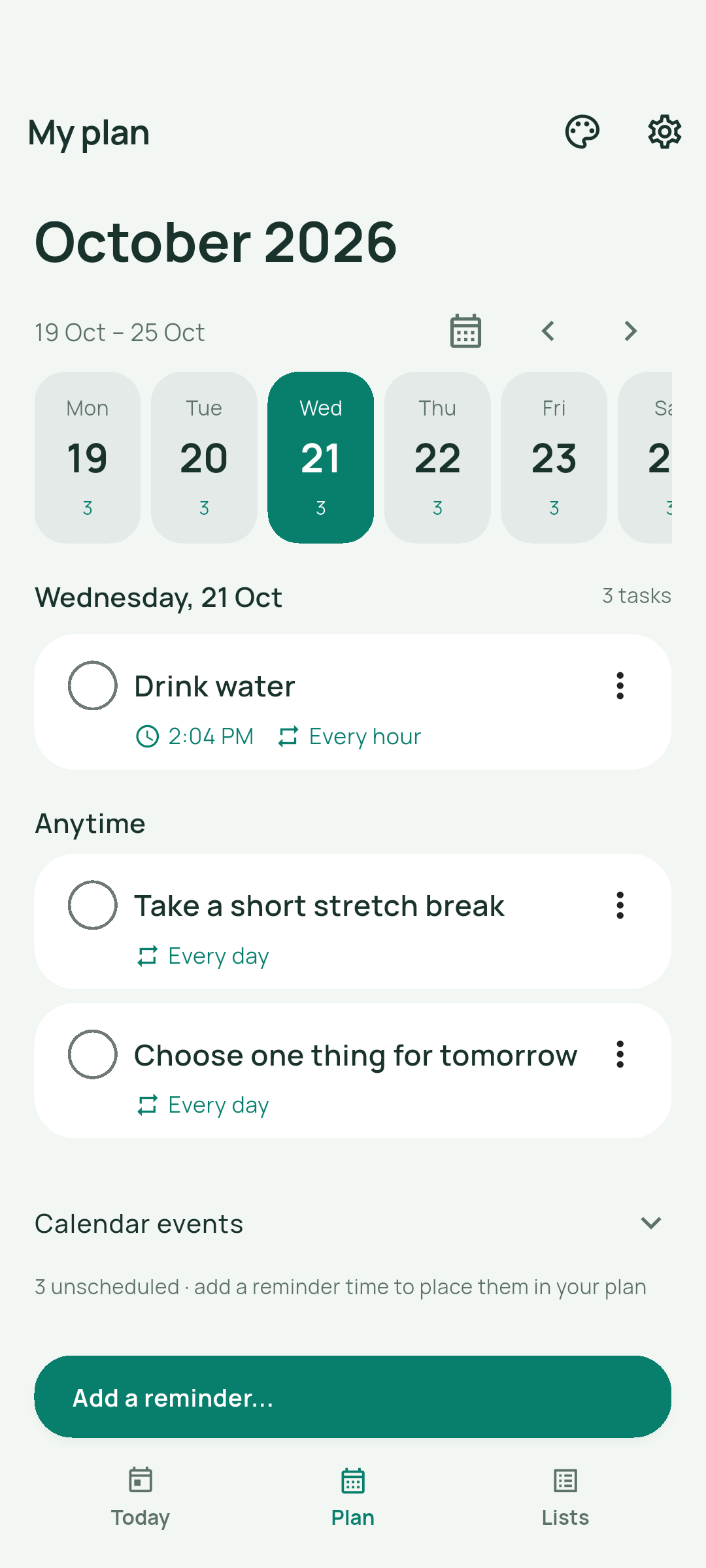
A little structure for your day
See what is scheduled and what can happen anytime. Move between days without losing the week ahead.
- Smaller steps
- Lists and subtasks keep a larger goal manageable.
- Routines that return
- Complete one occurrence. The next hourly or daily repeat stays available.
- Progress you can see
- Daily progress and a growing campfire mark your completed tasks.
Help shape TaskKind
TaskKind is free and currently in Google Play closed testing. Join our Google Group yourself. No manual email approval is needed.
Join the tester group. Sign in with the Google account you use for Google Play and choose Join group.
Join TaskKind TestersBecome a tester. Open the test page with the same account and choose Become a tester. Joining the group alone does not opt you into the test.
Become a testerInstall from Google Play. Wait until the test page says “You are a tester”, then use its download link. TaskKind requires Android 7.0 or later on a compatible device.

Already an Alpha tester?
Your existing invitation still works. You do not need to leave the test or reinstall the app.
If Google Play says “Item not found” or the app is unavailable, open the test enrollment page in your phone's browser and confirm it says “You are a tester”. Use the same account in the group, browser and Play Store. New access can take time to reach Google Play; try again later. If the account already works on another phone, close and reopen the Play Store on the affected phone. If it still fails, contact support with that phone's model, Android version and the message shown on the test page. You do not need to leave the test or uninstall TaskKind.
Joining shares your Google account email with the group owner for tester access. Member lists and email visibility are restricted to the owner. For help, contact rohanprajapati7860@gmail.com.
Try the app in your normal routine and share honest feedback by email. If you can, stay opted in for at least 14 days. A positive review is never required.
Your tasks stay on your device
No account is required. Optional usage analytics and crash reporting have separate choices in Settings → Privacy. Online maps, place search and website icons use their respective providers.
Before uninstalling or changing devices, export a portable backup. Private app storage and local backups can be removed when Android deletes app data.